
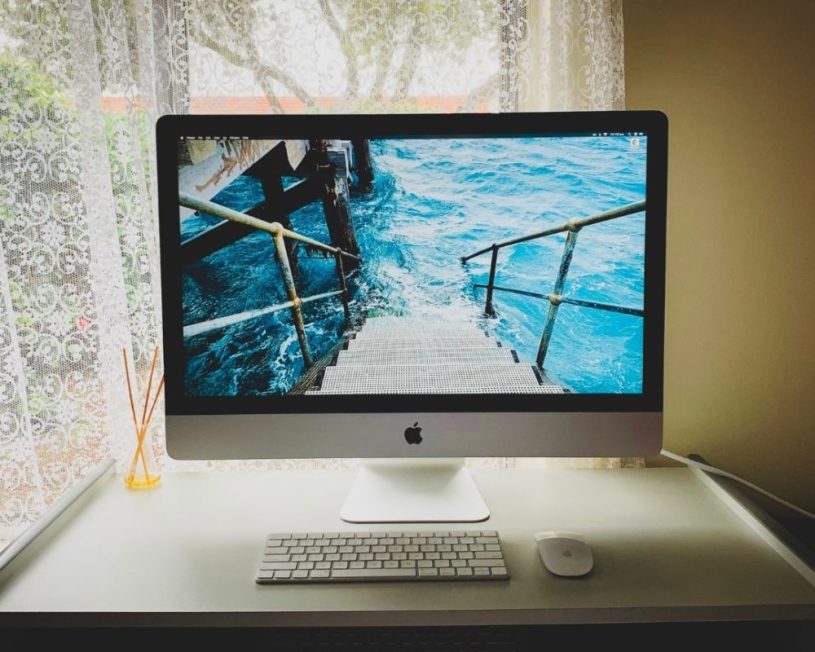
Picture the Monday morning. A new client has signed, the brief needs six extra designers by Wednesday, and your procurement team has just told you a hardware order will take a fortnight to clear. The freelancers are booked. The desks are free. The only thing missing is the machines they expect to work on.
That gap is exactly where Apple iMac hire earns its place. For creative studios, post-production houses, training providers and event teams across the UK, renting all-in-one desktops has moved from a stopgap to a sensible part of the hardware plan. You get a consistent, recognisable setup on every desk, without committing capital to machines you may only need for a quarter.
This guide covers when renting makes more sense than buying, what to check before you sign anything, how to think about the old “iMac Pro” question, and the practical details that separate a smooth rental from a stressful one. It’s written for the people who actually have to get the kit working: operations managers, studio leads, IT coordinators and project managers.
Why Businesses Choose iMac Rental Over Buying
Buying hardware outright feels like the safe option until you look at how the machines are actually used. Plenty of teams need more seats for a defined period: a campaign, a pitch, a product launch, a training cohort. Once that period ends, the extra desktops sit in a cupboard losing value.
iMac rental flips that equation. Instead of a large upfront spend, you pay for the time you use the equipment, and it goes back when the work is done. For many organisations that also means the cost sits more neatly in project budgets rather than capital expenditure. (How it’s treated in your accounts is one for your finance team or accountant, but the flexibility is the point.)
The common reasons UK businesses rent rather than buy include:
- Short-term headcount spikes. Freelancers and contractors arrive for a project and leave when it wraps.
- Consistency across a team. Everyone works on the same screen size, colour profile and operating system version, which matters when designers are handing files to each other.
- Trialling before committing. Renting a handful of units lets a team test a new setup for a month before signing off a larger purchase.
- Avoiding end-of-life hassle. Returning a rented machine means no disposal paperwork, no data-wiping worries on your side and no ageing stock to manage.
There’s also a quieter benefit. Rented equipment tends to be current generation, so you aren’t asking a senior designer to work on a five-year-old machine because that’s what was left in stores.
What to Check Before You Book Apple iMac Hire
Not all rental arrangements are equal, and the differences usually show up at the worst possible moment: the night before a project starts. Before you commit, it’s worth running through a short checklist.
Specification, not just model name. “iMac” covers a range of configurations. Ask for the exact chip, memory and storage on each unit. Memory matters most for creative work; a machine that’s fine for email and spreadsheets will struggle with layered design files or 4K timelines.
Software and setup. Find out whether machines can arrive with your software already installed and configured. Pre-imaged machines, where every unit is set up from the same master build, save your team hours on day one. If your organisation uses device management software, check the supplier can enrol the machines before delivery.
Delivery and collection windows. Can they deliver outside office hours? Will someone set the machines up on desks, or will they be left in boxes at reception? For London offices with loading restrictions, or venues with strict access slots, this detail can make or break a schedule.
Support during the hire. If a unit fails mid-project, how quickly is it swapped? A clear answer, in writing, is worth more than a glossy brochure.
Data handling at the end. Your team will almost certainly save work locally, even when they’ve been told not to. Ask how machines are wiped on return and whether you can get confirmation of that process. Under UK GDPR, that’s not a nice-to-have.
A supplier that can answer all of this quickly and specifically is usually a sign that the rest of the rental will run the same way.
The iMac Pro Rental Question: What You’re Really Looking For
Here’s something that catches a lot of people out. Search for iMac Pro rental and you’ll find plenty of results, but the iMac Pro itself was discontinued in 2021 and the larger 27-inch iMac followed in 2022. That doesn’t mean the need behind the search has gone away. It just means the answer has changed.
When someone asks for an “iMac Pro”, they usually mean one of three things:
- A big, sharp screen for design, photography or video work.
- Serious processing power for rendering, compiling or heavy multitasking.
- The all-in-one look, clean desks with minimal cabling, often for client-facing spaces.
The current 24-inch iMac, built on Apple silicon, handles a surprising amount of creative work comfortably, particularly with higher memory configurations. It has a 4.5K Retina display and runs quietly, which matters in shared studios and recording environments.
When a Desktop Workstation Setup Makes More Sense
If your team genuinely needs workstation-class performance, such as long 3D renders, colour grading or large-scale motion graphics, the modern equivalent of the old iMac Pro is usually a compact desktop tower paired with a high-resolution external display. The Mac Studio with a 27-inch 5K Studio Display is the combination most studios reach for, and it gives you more headroom than any all-in-one currently offers.
A good rental partner will ask about your workload rather than just taking the model name at face value. If you’re unsure, describe what your team will actually be doing and let the supplier recommend the configuration. It’s worth reading through the options for Apple iMac hire for business projects alongside workstation alternatives, so you’re comparing like with like rather than chasing a product name that no longer exists.
The key takeaway: don’t let a discontinued model name narrow your choices. Brief the outcome you need, and match the hardware to it.
Who Gets the Most Out of iMac Rental in the UK
Some sectors lean on rented all-in-one desktops more heavily than others, and the reasons are instructive even if you’re not in one of them.
Creative and advertising agencies. Pitch season and campaign launches bring waves of freelance designers, copywriters and motion artists. Giving each of them an identical, calibrated machine means files look the same on every screen, which cuts down on the “it looked fine on mine” conversations.
TV and film production. Production offices spring up for a few weeks or months, often in temporary spaces. Teams need specific setups, ready to go, with minimal paperwork. When the shoot wraps, the office disappears, and the hardware needs to go with it.
Training and education. Short courses, bootcamps, exam sittings and corporate training days all need a room full of identical machines for a fixed period. Renting means the training room can be set up on Friday and cleared on Monday.
Events and exhibitions. All-in-one desktops are popular on stands and in brand activations because they look tidy and don’t need a tangle of cables. They double as registration points, content kiosks and demo stations.
Consultancies and project teams. When a project team lands on a client site, or a temporary project office opens in a regional city, a fleet of consistent machines helps people get productive from the first morning.
What these groups have in common is a defined timeline and a need for things to work immediately. That’s the sweet spot for rental.
Getting the Logistics Right
The hardware is rarely the problem. The logistics usually are. A few practical habits make a real difference.
Book earlier than you think. Larger quantities, specific configurations and peak periods (the run-up to major trade shows, the start of the academic year, the weeks before Christmas) all put pressure on availability. Even a few extra days’ notice gives your supplier room to prepare and test every unit.
Share a floor plan. If you’re setting up twenty desks, tell your supplier where each machine is going, what’s already on the desks and where the power sockets are. It sounds basic, but it saves an awkward hour of rearranging furniture.
Think about peripherals. Keyboards, mice, trackpads, drawing tablets, external drives, extension leads and security locks all need to be on the list. Check what’s included and what isn’t.
Plan the return as carefully as the delivery. Agree a collection date and time, and make sure someone is on site. Remind your team, in writing, to move their files to shared storage before the machines leave. Then ask for confirmation that the devices have been wiped.
Check colour and display settings. For design and photography work, consistent colour matters. Ask whether machines can be set to the same display profile before delivery, and budget time on day one for your team to check calibration against their usual workflow. It’s a small step that avoids a lot of back-and-forth over whether a colour is “off” on one screen but fine on another.
Keep an asset list. Record serial numbers against desks or users. If a unit develops a fault, or something goes missing, you’ll know exactly which machine and who was using it. Many rental suppliers can provide this tracking for you, which is one less spreadsheet for your team to maintain.
Short-Term vs Long-Term Hire: Choosing the Right Period
Rental periods can range from a single day to a couple of years, and the right choice depends on what you’re solving for.
Short-term hire (a day to a few weeks) suits events, exhibitions, pitches, training days and exam sittings. You’re paying for immediacy and flexibility. It’s also a useful way to trial a setup before a longer commitment.
Medium-term hire (one to six months) is the typical range for project teams, production offices and seasonal staff. It’s long enough that pre-configuration and support terms matter more, so negotiate those carefully.
Long-term hire (six months and beyond) starts to compete with leasing or buying. It can make sense when you want to avoid tying up capital, need predictable monthly costs, or expect your requirements to change. The ability to swap or upgrade units part-way through is worth asking about at this stage.
A useful exercise is to plot your realistic usage over the next year. If demand goes up and down, rental smooths out the peaks. If you need the same number of machines, every day, for three years, buying may still be the better route. There’s no universal answer, only the one that fits your workload.
Conclusion
Renting all-in-one desktops has become a practical tool for UK businesses that work in projects, seasons and bursts rather than in steady, predictable lines. It gives teams consistent, current equipment exactly when they need it, and it takes the disposal, data and depreciation headaches off the table when the work is done.
The smartest approach to Apple iMac hire is to start with the job, not the product. Be clear about what your team will be doing, how long you’ll need the machines, where they’re going and what has to be installed on them. If you’ve been searching for an iMac Pro, remember that the modern answer is either a well-specified 24-inch model or a compact workstation with a large external display.
Above all, choose a rental arrangement that treats delivery, setup, support and secure data wiping as part of the service rather than optional extras. The machines will look much the same wherever you rent them from. What makes the difference is how smoothly they arrive, how reliably they run, and how cleanly they leave.

